
How Application Security Testing Protects Your App
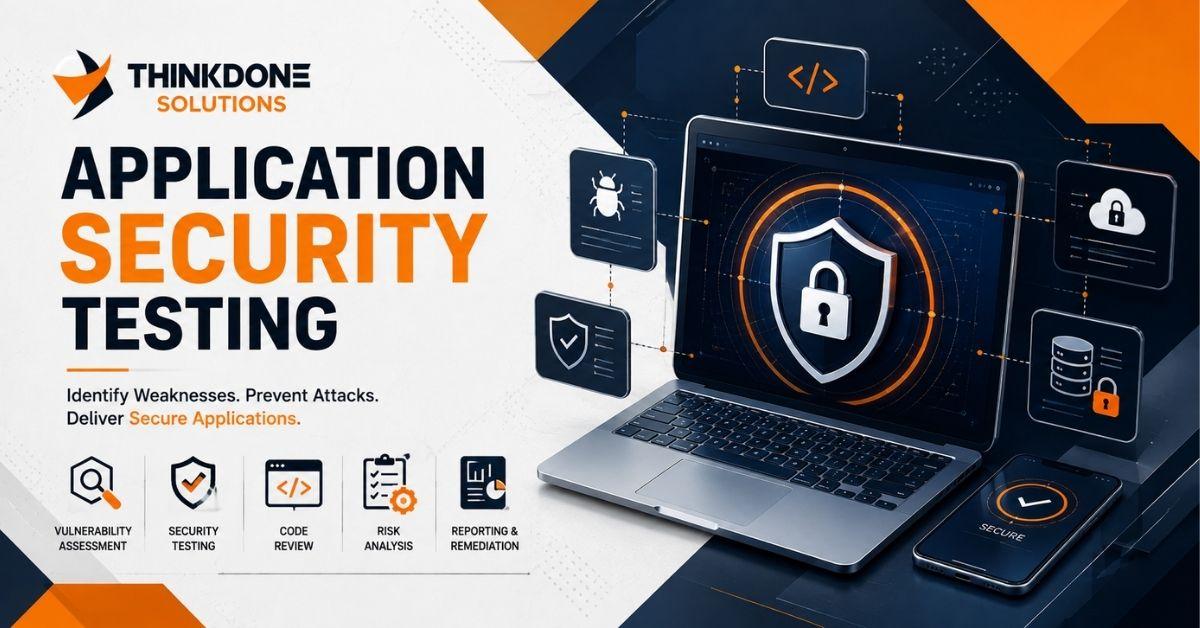
There's a story a developer once told me at a conference that never left my mind. His team had built a fitness app that quietly gained popularity over a summer, growing from a few hundred users to tens of thousands almost overnight. Nobody paused to double-check the security of the sign-up flow amid all the excitement — until a researcher reached out privately, warning that user passwords were being stored in a way that could easily be cracked. They fixed it in time, but just barely. That near-miss is a perfect example of why application security testing needs to happen long before an app ever becomes popular, not after.
In this article, we'll walk through what application security testing really means, the different types you'll come across, the tools professionals use to get the job done, and the habits that keep applications protected well after launch. We'll also explain why many companies choose to bring in specialists like ThinkDone Solutions instead of trying to manage everything on their own.
Let's Start With the Basics
At its simplest, this is the practice of digging for weaknesses in your software before someone with harmful intentions finds them first. Picture it like a fire drill for your code — you'd rather discover the exits are blocked during a planned drill than during an actual emergency. Putting this off doesn't make the risk disappear; it just delays the moment you'll eventually have to deal with it, usually at a much higher cost.
Why This Deserves Real Attention Today
Attackers now rely on automated systems that can scan thousands of applications in a single day, searching for the path of least resistance. Many business owners assume only large, well-known companies get targeted, but smaller businesses are often seen as easier, less-guarded prey. Building consistent application security best practices into daily operations is what keeps a company from becoming an easy target in the first place.
The Core Types of Application Security Testing
No single testing method uncovers everything on its own, which is why most experienced teams combine several approaches for solid coverage.
1. Static Application Security Testing (SAST)
This method reviews your source code line by line without ever executing the program, much like a copy editor scanning a manuscript before it's sent to print. It's especially useful for catching risky coding patterns while they're still inexpensive to fix.
2. Dynamic Application Security Testing (DAST)
Rather than reading the code, DAST tests the application while it's actually running, interacting with it the same way a real user — or an opportunistic attacker — would. This helps catch problems that only reveal themselves once the app is live and fully connected.
3. Web Application Penetration Testing
This is where testing becomes truly hands-on. Ethical hackers intentionally attempt to break in using the same methods a real criminal would rely on. Web application penetration testing carries serious weight because it doesn't estimate your risk — it proves it, showing precisely how an attacker could get through.
4. Interactive Application Security Testing (IAST)
IAST blends elements of both SAST and DAST, monitoring the application from within while it's being actively used. Because of this combined approach, it often catches issues that a single method would overlook.
5. Runtime Application Self Protection
Think of this as a guard stationed permanently inside the application itself. Runtime application self protection goes a step further than detection alone — it actively steps in and blocks suspicious behavior the instant it's spotted, adding protection that stays active long after deployment.
APIs Are Worth Extra Caution
Modern apps depend heavily on APIs to exchange data behind the scenes, which has turned them into a favorite target for attackers. Working through an API security testing checklist — covering authentication, data validation, and access permissions — helps make sure these connection points aren't left as an easy opening.
Tools Professionals Reach for Regularly
Here's a quick rundown of tools commonly used in the field:
-
Vulnerability scanning tools such as Nessus and OpenVAS, which automatically flag known weaknesses across systems
-
Burp Suite and OWASP ZAP for practical, real-world penetration testing
-
SonarQube and Checkmarx for evaluating code quality and catching security flaws
-
Postman and APIsec for closely examining how APIs handle requests
That said, tools alone rarely tell the full story. Automated scans can surface a long list of findings, but experienced eyes are what separate genuine threats from minor noise.
A Simple Step-by-Step Way to Get Started
Here's a clear sequence to follow if you're setting this up for the first time:
-
Map your environment — Identify every application, API, and connected system you're responsible for protecting.
-
Use multiple testing methods — Combine SAST, DAST, and penetration testing instead of depending on just one.
-
Run scans on a regular schedule — New vulnerabilities emerge constantly, so infrequent checks leave gaps.
-
Patch, then double-check — Fix the issue, then retest to confirm it's actually resolved and not just masked.
-
Build security into every stage of development — This is precisely what a secure software development life cycle accomplishes, integrating checks throughout the coding process instead of at the very end.
-
Stay current with updates — Consistent patch management stops known vulnerabilities from sitting unaddressed for extended periods.
Habits That Keep Applications Truly Safe
A few consistent practices tend to separate secure companies from vulnerable ones. Teach developers to recognize risky coding patterns before anything reaches production. Drop the assumption that your business is too small to draw attention. Keep an incident response plan ready, since even the strongest defenses eventually get tested. And instead of stretching a small internal team thin, many businesses now rely on managed cybersecurity services to keep systems monitored continuously, day and night.
Why Businesses Turn to ThinkDone Solutions
Here's the honest reality — most companies simply don't have the internal time, budget, or specialized expertise to handle all of this on their own, and that's entirely understandable. ThinkDone Solutions steps in to fill that gap, bringing real-world experience across penetration testing, vulnerability management, and ongoing patch oversight. Rather than hoping your systems are secure, you get to actually know they are, supported by a team that tests, monitors, and defends your applications around the clock. When your customers' trust and your company's reputation are on the line, partnering with an experienced team isn't an unnecessary cost — it's simply the responsible thing to do.
Conclusion
Application security testing has firmly become a necessity rather than an optional extra. Whether it's SAST, DAST, penetration testing, or runtime protection, each method plays a distinct role in defending against an increasingly aggressive threat landscape. Follow the step-by-step approach outlined here, build these habits into your everyday routine, and you'll meaningfully lower your chances of becoming the next cautionary tale. And if you'd rather hand the technical work over to seasoned professionals, ThinkDone Solutions is ready to help you test smarter, patch faster, and worry less.
Frequently Asked Questions
1. What's the main goal of application security testing?
It's about identifying and fixing security weaknesses before attackers can take advantage of them, protecting both the business and the people who use its software.
2. How often should applications be tested?
Ideally, testing should be an ongoing process rather than a once-a-year task, with extra focus right after major updates or new feature releases.
3. What's the difference between SAST and DAST?
SAST reviews the code itself without running the application, while DAST tests it while it's actively in use — together, they cover more ground than either method alone.
4. Should smaller businesses take this seriously too?
Yes, often more than they expect. Attackers frequently go after smaller companies precisely because they assume the defenses will be weaker.
5. Why choose a managed security provider over handling it internally?
Providers like ThinkDone Solutions offer continuous monitoring and specialized expertise that most internal teams simply don't have the resources to match on their own.

 English
 Arabic
 French
 Portuguese
 Deutsch
 Turkish
 Dutch
Dutch
 Italiano
 Russian
 Romaian
 Portuguese (Brazil)
 Greek
Greek