English
 Arabic
 French
 Spanish
 Portuguese
 Deutsch
 Turkish
 Dutch
Dutch
 Italiano
 Russian
 Romaian
 Portuguese (Brazil)
 Greek
Greek
Field Service Mobile App: Giving Technicians the Information They Need Anywhere
Other |
2026-09-11 16:38:56
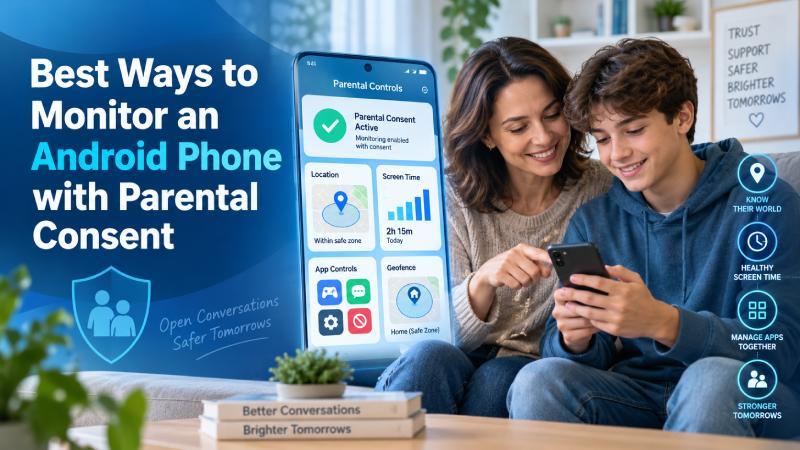
Parents may need to supervise a child’s Android phone to manage screen time, check location, block harmful websites or respond to online safety concerns. The safest approach is to explain what will be monitored, why it is needed and when the rules will be reviewed.
A trusted Cell Tracker App can help parents check supported location and phone activity after it has been installed on an authorised Android device. The application should only be used by a parent or legal guardian with the right to supervise the device, or with the clear permission of its adult owner.
Monitoring should match the actual concern. A family that only needs school arrival notifications may not need access to calls or messages. Parents dealing with cyberbullying, unsafe contacts or repeated rule-breaking may need stronger controls for a limited period.
Parental consent means that a parent or legal guardian approves the collection and review of information from a minor child’s device. It does not mean that every form of monitoring is automatically appropriate.
The child should receive an age-appropriate explanation of:
Young children may need closer supervision because they have limited experience with online risks. Teenagers usually need more privacy and a clear explanation of why specific controls remain necessary.
Parental authority and privacy laws differ by country. Parents should confirm the rules that apply where they live, particularly if the phone belongs to another person or the monitoring includes private communications.
Children use Android phones for schoolwork, games, video calls, social media and communication with friends. These activities can be useful, but they may also create risks that children do not recognise immediately.
Parents commonly use monitoring tools to address:
Monitoring should have a defined purpose. Checking every part of a child’s phone without a specific reason can damage trust and collect more private information than the family needs.
The first step is a direct conversation with the child. Explain the reason for the monitoring and show them how the selected application works.
Parents can discuss:
A written family technology agreement can make the rules easier to understand. It may include screen-free meal times, bedtime limits, application approval requirements and rules against sharing passwords with strangers.
The agreement should also explain the parent’s responsibilities. Parents must protect collected information, avoid unnecessary checks and reduce monitoring when the child shows greater maturity.
Location tracking can help parents confirm that a child has arrived at school, tuition, a sports facility or home. It can also help during family travel and emergencies.
An Android tracking application may provide:
Location information is an estimate. GPS can become less accurate inside buildings, underground, between tall buildings or in places with weak mobile coverage.
Parents should check the timestamp before reacting to a map marker. A delayed position does not necessarily mean that the child is still at that location.
A geofence is a virtual boundary around a physical location. Parents can create one around a child’s school, home or another regular destination.
The system may send an alert when the connected Android phone enters or leaves the selected boundary.
Useful geofence locations include:
Geofencing is often less intrusive than continuously watching a live map. A parent who only needs confirmation that a child reached school can rely on an arrival alert.
The selected radius should not be too small. GPS movement and signal changes can produce false alerts when the phone is close to the edge of a narrow boundary.
Screen-time controls help children balance phone use with homework, sleep, exercise and family time. They are most effective when the limits match the child’s routine.
Parents can establish:
A strict limit may not work on days when the child needs the phone for schoolwork. Many parental-control services allow parents to approve additional time when there is a valid reason.
Parents should also review their own phone habits. A child is less likely to follow screen-free dinner rules if adults regularly ignore them.
Application supervision helps parents identify games, social platforms or tools that may not be suitable for the child’s age.
Depending on the Android parental-control service, parents may be able to:
An unfamiliar application should not be treated as dangerous without checking what it does. Ask the child why they installed it and review its permissions, age rating and privacy settings together.
Pay attention to applications requesting access to the camera, microphone, contacts or precise location when those permissions are unrelated to their main function.
Web filters can reduce access to adult material, gambling sites, violent content and known malicious pages. They are useful for younger children, but no filter can block every inappropriate website.
Parents should combine filters with discussions about:
Blocking a website does not teach a child why it may be unsafe. Explain the reason for restrictions and encourage the child to report upsetting or confusing content without fear of immediate punishment.
Some Android monitoring services can show supported call records, SMS information or other communication activity. These features are more intrusive than location alerts and screen-time controls.
Parents may consider limited communication monitoring when there is a specific concern, such as:
The purpose should be protection, not routine inspection of every private conversation. Parents should avoid sharing the child’s messages with relatives or friends unless professional or legal support is required.
If the immediate concern ends, the family should review whether detailed communication monitoring is still justified.
Google provides parental supervision features for compatible Android devices and child accounts. These controls may be enough for families that need basic screen-time, application and location management.
Built-in controls can help parents:
Built-in tools do not usually provide the same depth of information as a dedicated Android monitoring platform. They remain a practical starting point because they are integrated with the device and easy to explain to a child.
A parental-monitoring account may contain a child’s current location, daily routes and phone activity. If someone gains access to the account, that information could be misused.
Parents should:
Parents should never reuse the same password for the tracking dashboard, email account and social media profiles. Access to the parent’s email could allow another person to reset the monitoring account password.
Android applications require permissions to access location, application activity or other supported information. The parent should review each permission and understand why it is needed.
Location updates may stop or become delayed if the phone:
Samsung, Xiaomi, Oppo, Vivo, Realme and other manufacturers use different background battery controls. Parents may need to allow the monitoring service to run in the background.
This does not mean every permission request should be accepted automatically. A parental-control application should only receive permissions connected to features the family intends to use.
Continuous checking can increase anxiety for parents and make children feel that they are never trusted. A better approach is to review information at agreed times or when an alert indicates a genuine concern.
For example, a parent might:
This approach keeps supervision connected to a purpose. It also gives children a clearer path towards earning more privacy.
Parental controls should change as the child grows. A ten-year-old using their first phone may need application approval and daily limits. A responsible sixteen-year-old may only need emergency location sharing.
Parents can reduce supervision gradually by:
The goal is to help the child use technology safely without permanent surveillance.
A cell tracker and a family locator may provide similar location features, but they serve different needs.
A family locator focuses on voluntary location sharing between participating family members. It may show current locations, saved places, battery information and short location histories.
A more detailed cell tracking service may provide location data alongside supported calls, messages, browsing or application information.
Choose a family locator when:
Choose a detailed Android tracker when:
Use the least intrusive option that can address the actual concern.
Some basic supervision can be enabled through the child’s connected Google account and Android settings. Parents may be able to manage applications, screen time, content restrictions and location through a supported family account.
Detailed phone activity usually requires an authorised application or account configuration on the device. A legitimate service cannot remotely begin collecting private information from an arbitrary phone using only its number.
Be cautious of websites claiming they can reveal a person’s live GPS location, calls or messages after entering a phone number. A phone number alone does not provide that access.
The Android phone normally needs Wi-Fi or mobile data to send new information to the parent application or online dashboard.
When the device is offline, the service may:
No consumer monitoring service can guarantee live updates when the phone is switched off, out of battery or disconnected from the internet.
Secret monitoring may damage trust and could create legal or ethical problems. Children should receive an explanation suited to their age.
Access to a feature does not mean the family needs to use it. Start with the minimum controls required.
GPS positions can be delayed or wrong. Check the timestamp and contact the child before drawing conclusions.
Location and activity records should remain limited to parents or guardians who genuinely need access.
Parental controls should support safety and healthy phone use. They should not be used to embarrass or intimidate the child.
A monitoring setup suitable for a younger child may become excessive as the child gains maturity and independence.
Before installing a service, parents should ask:
The best way to monitor an Android phone with parental consent is to begin with a clear safety goal. Location alerts, screen-time schedules and application approval may be enough for many families. Detailed activity monitoring should be reserved for situations where there is a specific and serious concern.
Explain the rules, protect the account and review the arrangement regularly. As the child shows better judgment, reduce the level of supervision. Parental monitoring works best when it supports honest communication and gives the child a clear route towards greater independence.
Parents or legal guardians may be allowed to supervise a minor child’s device, but laws vary by location and the type of information collected. Parents should check the rules that apply in their jurisdiction.
Age-appropriate transparency is the safer approach. The child should understand what is monitored, why it is needed and when the arrangement will be reviewed.
Many Android tracking services can display previously recorded positions or routes. The amount of history available depends on the service and subscription.
Geofencing creates a virtual boundary around a physical location. Parents may receive an alert when the connected phone enters or leaves that area.
No legitimate consumer application can reveal precise live location or private phone activity using only a phone number.
No. The dashboard may show the last recorded position, but it cannot receive new location updates while the phone is switched off.
Frequent high-accuracy GPS updates can increase battery use. Battery consumption depends on the selected features, update frequency, phone model and Android settings.
Many modern Android parental-control and tracking applications work without rooting. Parents should check the requirements of the selected service and device.
Start with the least intrusive controls that address the concern, such as screen-time limits, application approval or school arrival alerts.
Monitoring should be reduced as the child becomes more responsible and removed when it is no longer necessary for a clear safety purpose.