
How Your Gaming Setup Influences the Computer You Need
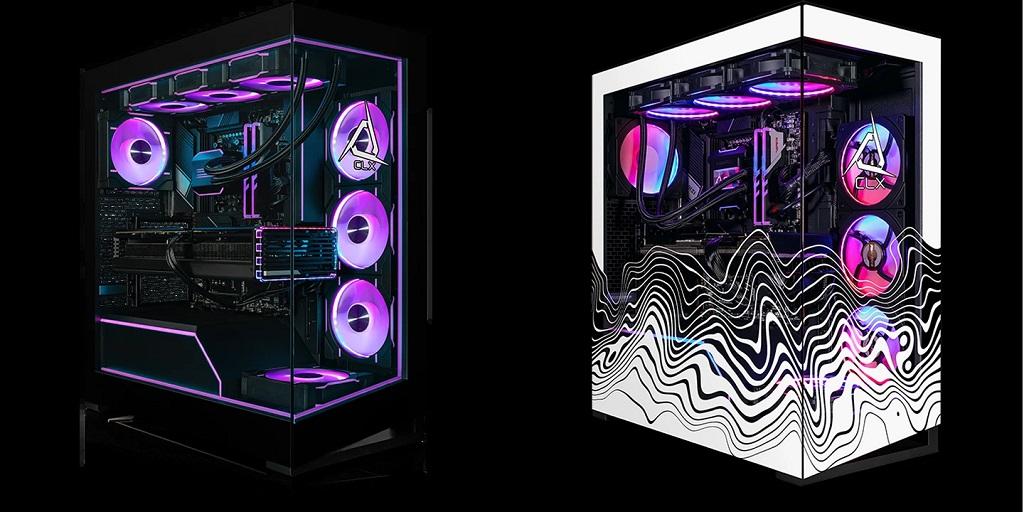
A gaming setup reflects personal preferences, favorite games, and the way someone enjoys playing. The monitor, keyboard, mouse, headset, and even the available desk space all contribute to that experience. These details influence the type of computer that makes sense for your setup. When browsing gaming computers for sale, looking at the equipment you already own can help you decide what configuration you need.
Your Monitor Sets the Visual Expectations
The monitor affects how games look and run. Its resolution determines how much detail appears on the screen, while its refresh rate affects how smoothly movement is displayed.
A 1080p monitor with a 144Hz refresh rate suits players who enjoy fast-paced games and responsive visuals. Someone using a 1440p or 4K display may need a more powerful graphics card to maintain strong performance at higher resolutions.
Check your monitor’s specifications before comparing computers. A powerful system paired with a basic display might leave some of its graphical capabilities unused. On the other hand, a high-resolution monitor needs hardware that can keep up with its demands.
Consider the Peripherals You Use Every Day
A keyboard, mouse, and headset influence how you interact with games. Their features may seem separate from computer performance, but compatibility and connectivity still deserve attention.
Gaming mice come with different polling rates, sensitivity settings, and connection types. Mechanical keyboards offer different switch styles, layouts, and lighting features. Headsets may use USB, wireless connections, or traditional audio jacks.
Check the available ports when reviewing a computer’s specifications. USB connections, audio jacks, and wireless support affect how easily your accessories fit into the setup. This matters most when you keep several peripherals connected at once.
Think About Your Gaming Space
The physical space around your computer influences the case and cooling setup that fits your space. A large desktop tower may look impressive, but its dimensions have to fit the available desk or floor space.
Measure the area before settling on a particular case size. Leave room for cables, airflow, and access to front-facing ports. This also makes routine cleaning and equipment adjustments easier.
The case itself contributes to the overall appearance of a gaming setup. Tempered glass panels, RGB lighting, and different finishes deliver plenty of room for personal preferences. Some gamers prefer a colorful display, while others prefer a cleaner, understated look.
Account for Multiple Screens and Extra Equipment
Some players use two monitors to keep communication apps, streaming tools, or game guides visible while playing. Others connect capture cards, external storage, controllers, and additional accessories.
These additions increase demand on available connections and system resources. A graphics card needs enough display outputs for the monitors in use. The motherboard also needs suitable ports for external devices and accessories.
Memory capacity deserves attention when several applications run alongside a game. Enough RAM keeps background programs from competing too much with the game for system resources.
Make Room for Future Changes
Gaming setups rarely stay exactly the same. A new monitor, a different headset, or an additional screen may eventually become part of the arrangement.
If you expect those changes, your computer’s upgrade options deserve attention. Check the motherboard’s available memory slots, storage connections, and expansion options. The power supply also needs enough capacity for compatible hardware upgrades.
Cooling and case dimensions matter here, too. Larger graphics cards and additional cooling equipment require sufficient internal space. Checking these details early gives you a better picture of the system’s flexibility.
Bring Your Entire Setup Into the Picture
A gaming computer works alongside every other part of your setup. Your monitor influences visual performance, peripherals determine connectivity needs, and available space affects case dimensions. Considering these details makes hardware comparisons more relevant to your everyday gaming habits.
At CLX Gaming, you’ll find customizable desktop configurations for different gaming preferences and equipment needs. Explore the available options at CLX Gaming to learn more about gaming PCs and their configurations.
For more information About Online Gaming Compute and mid tower case please visit: Cybertron International, Inc.

 English
 Arabic
 French
 Spanish
 Deutsch
 Turkish
 Dutch
 Italiano
 Russian
 Romaian
 Portuguese (Brazil)
 Greek